✦ Complete Feature Reference

Everything QREagleStudio can do.

167 QR content types. Pixel-level design control. AI image generation. Animated GIF export. Dynamic QR with scan tracking. Bulk generation. All native on your Mac — no account required for the core app.

167 QR Types40+ Style PresetsAI + Art ModeDynamic QRPNG · SVG · PDF · GIFGDPR CompliantNative macOS SwiftUI
Download on the App Store
167QR Code Types
40+Style Presets
11Module Shapes
13Eye Shapes
9Pupil Shapes
4Export Formats
Dynamic QR Updates
⬛ Content Types

167 QR Code Types in 13 Categories.

Every type has its own smart input form — pre-formatted, validated, and instantly previewed. Search and filter by category inside the app.

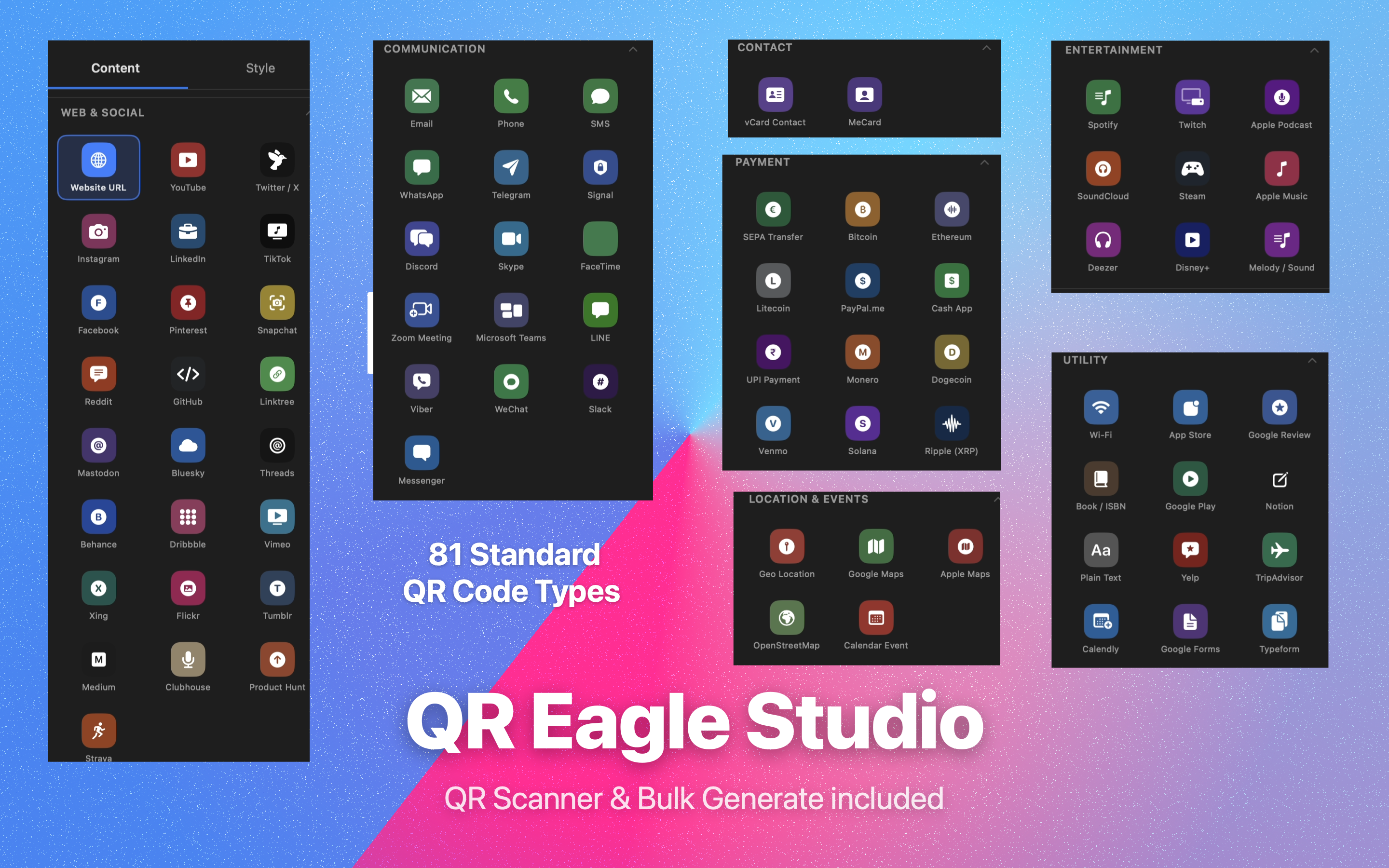
🌐Web & Social25
Website URLYouTubeTwitter / XInstagramLinkedInTikTokFacebookPinterestSnapchatRedditGitHubLinktreeMastodonBlueskyThreadsBehanceDribbbleVimeoXingFlickrTumblrMediumClubhouseProduct HuntStrava
💬Messaging & Communication16
WhatsAppTelegramSignalDiscordSkypeFaceTimeZoom MeetingMicrosoft TeamsLINEViberWeChatSlackMessengerEmailPhoneSMS
📇Contact & Identity2
vCard ContactMeCard
📍Location & Events5
Geo LocationGoogle MapsApple MapsOpenStreetMapCalendar Event
💳Payments & Finance13
SEPA TransferBLIKBitcoinEthereumLitecoinPayPal.meCash AppUPI PaymentMoneroDogecoinVenmoSolanaRipple (XRP)
🎵Media & Entertainment9
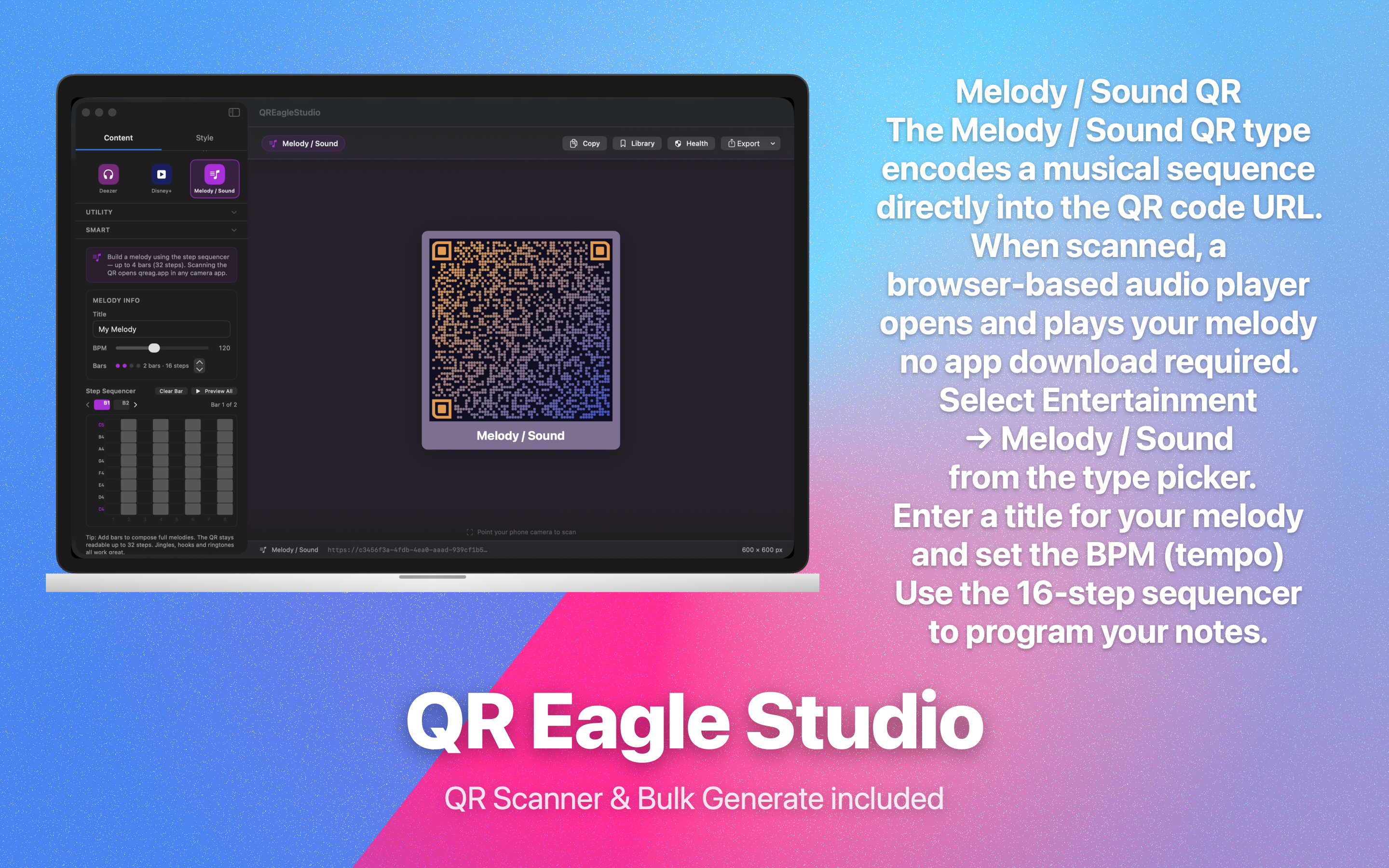
SpotifyApple MusicDeezerTwitchSoundCloudApple PodcastDisney+SteamMelody / Sound
🏢Business & Productivity16
App StoreGoogle PlayGoogle ReviewBook / ISBNNotionYelpTripAdvisorCalendlyGoogle FormsTypeformWi-FiBusiness Card ProBusiness HoursInvoiceJob PostingConference Badge
🏠Lifestyle & Personal20
Recipe CardPet IDPet PassportPlant CareLost & FoundCar InfoWedding InfoBaby AnnouncementWorkout PlanStudy TimerMood Check-InBreathing ExerciseTravel CardFlashcardHomeworkStorage LabelNutrition LabelParking InfoChecklistLanguage Card
📄Files & Data5
PDF FileExcel / CSV FilePlain TextWi-Fi CardStar Rating
🎨Creative & Event24
Gift CardGift RegistryEvent TicketEvent CountdownEvent RSVPCouponQuote CardThank You CardLove LetterTime CapsuleSecret MessageAffirmationStar MapHeartbeat CardAura CardNeon SignLife ClockVinyl RecordTip JarWarranty CardMenu ItemProperty CardRestaurant ReviewBook Review
🔮Mystical & Spiritual15
Chakra MapRune OracleSacred MandalaDream DecoderHoroscope Birth ChartNumerologyMoon CalendarSynastrySpirit AnimalCrystal GuideAurora ForecastSound HealerGolden RatioConstellation CardHaiku Card
🚀Sci-Fi & Abstract10
Cipher LockDNA HeritagePixel AvatarPhoenix RisingQuantum OracleTime TravelSky PainterChampagne ToastPoll CardColor Story
📚Knowledge & Community8
Book JourneyCoffee ProfileTide ChartDaily Bible VerseGratitude BoardTime Zone BridgeLabyrinth WalkSynastry
🎨 Design System

Pixel-level control over every element.

Mix-and-match 11 module shapes, 13 eye shapes, and 9 pupil shapes — then layer in gradients, custom backgrounds, logos, and caption labels. Live preview updates instantly with every change.

Module (Pixel) Shapes (11)
SquareCircleRoundedH. BarsV. BarsStarFlowerSharpPointySquircleCurve
Eye (Finder) Shapes (13)
SquareCircleRounded RectRounded OuterPointing InLeafShieldSquircleH. BarsV. BarsCorneredEdgesPixels
Pupil Shapes (9)
SquareCircleRoundedH. BarsV. BarsCorneredSquircleLeafShield
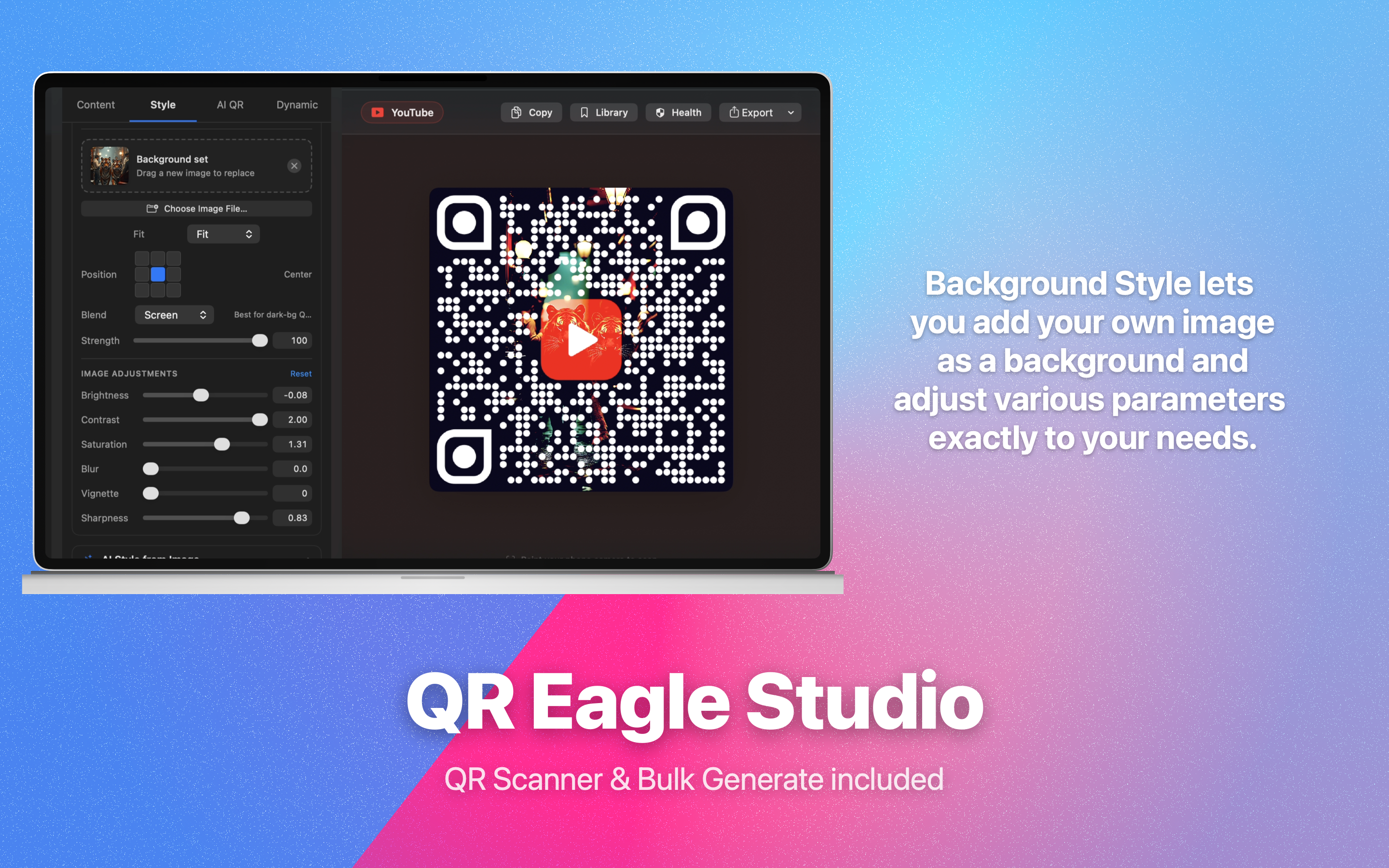
Background Blend Modes (7)
MultiplyDarkenOverlayScreenHard LightSoft LightNormal
Background Fit Modes (6)
FitFillStretchTileCropZoom
Background Positions (9)
Top LeftTopTop RightLeftCenterRightBottom LeftBottomBottom Right
🖌️
Full Colour Control
Solid foreground, background, eye colour, and pupil colour — each set independently with the native macOS colour picker. Supports any RGBA colour including transparent backgrounds.
🌈
Linear & Radial Gradients
Apply a two-colour gradient across all QR data modules. Choose Linear or Radial mode, pick any two colours, and watch the preview update in real time.
🖼️
Custom Background Images
Import any image as a QR background. Fine-tune brightness (−1 → +1), contrast (0.5 → 2.0), saturation, Gaussian blur (0–20 px), vignette, and sharpness — all non-destructively.
🏷️
Logo & SF Symbols
Embed any PNG, JPEG, or SVG logo. Or pick from 5,000+ Apple SF Symbols — vector-crisp at any export size. Control scale, corner radius, and background fill independently.
🎯
60+ Platform Logos
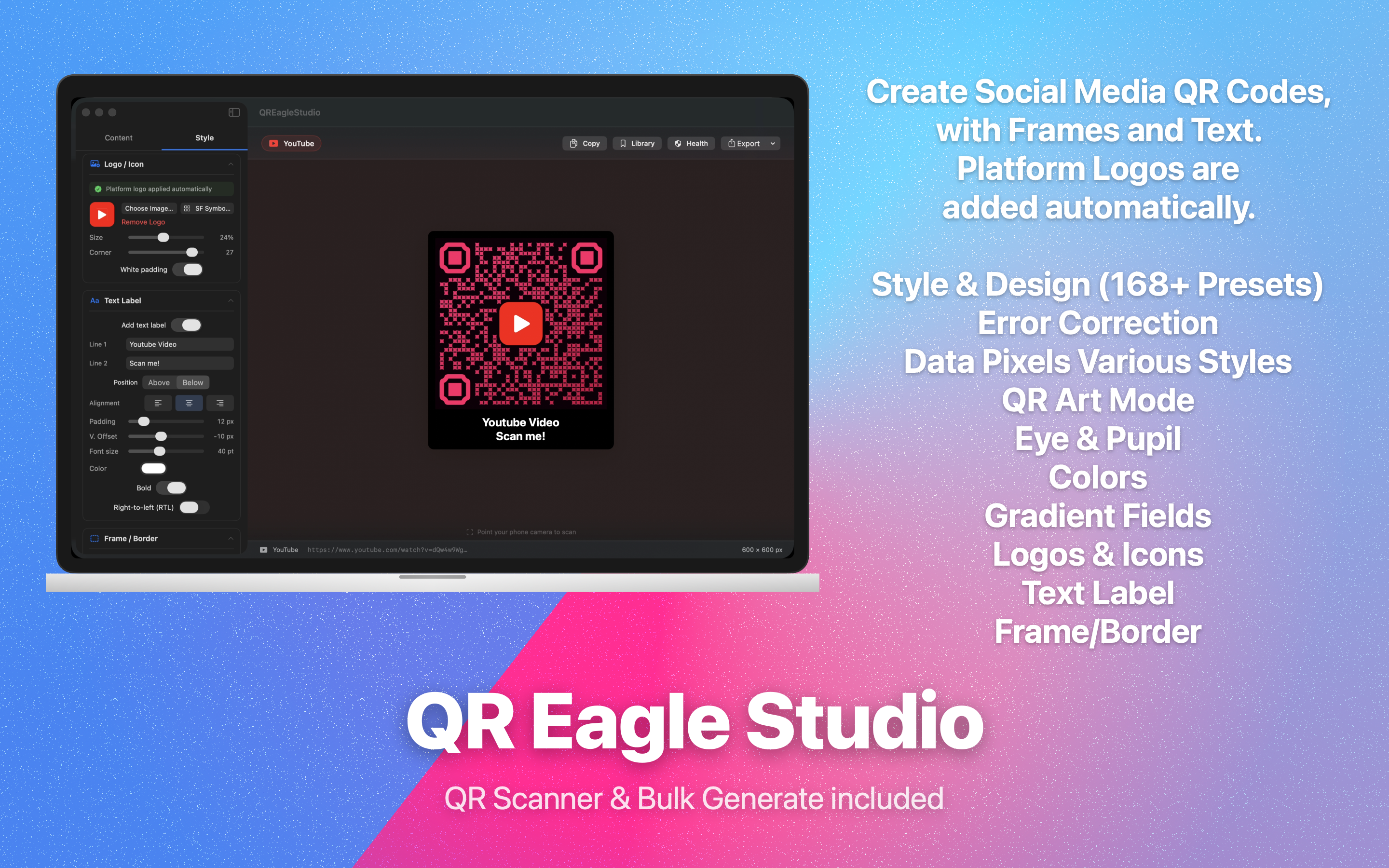
Auto-generated platform icons for YouTube, Instagram, WhatsApp, Spotify, GitHub, and 55+ more — automatically matched when you select that QR type. Always sharp.
🔡
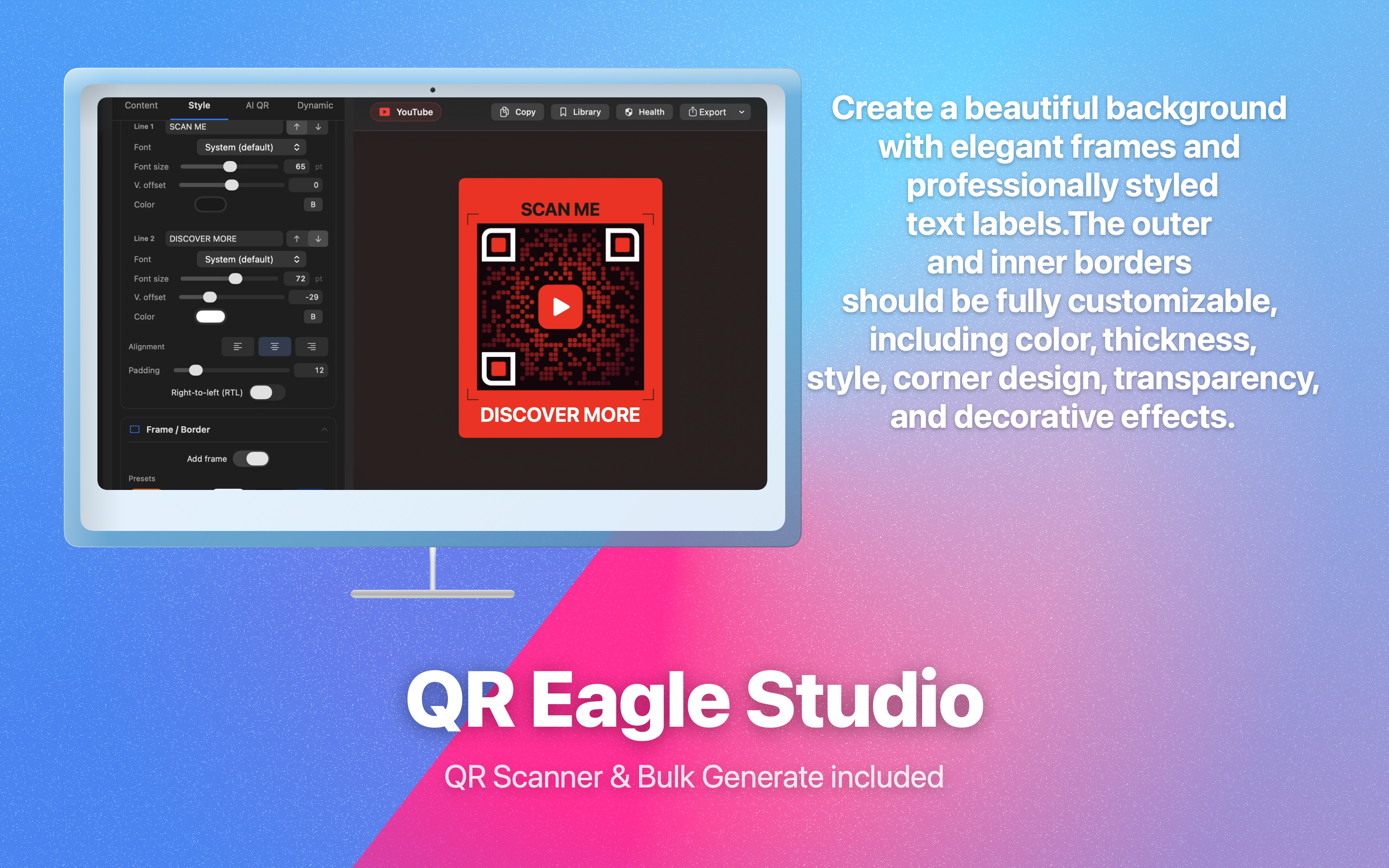
Caption Labels
Up to two lines of text, placed above or below the code. Control font size (14–80 pt), bold, colour, left/center/right alignment, RTL direction, and a vertical offset slider.
🟦
Frames & Borders
Solid-colour frame with adjustable padding (0–80 pt) and corner radius (0–60 pt). Ideal for print, signage, and packaged goods.
🛡️
Error Correction
Four levels: L (7%), M (15%), Q (25%), H (30%). Use Q or H whenever a logo covers part of the code to guarantee reliable scanning in real-world conditions.
📐
Pixel Inset & Corner Radius
Fine-tune the inset fraction and corner-radius fraction of every module shape for maximum brand alignment — from nearly touching to heavily spaced.
🎭
40+ Style Presets
One-tap presets set pixel shape, eye shape, colour, and gradient simultaneously. Includes Classic, Neon, Midnight, Forest, Blueprint, Rose Gold, Arctic, Graphite, and 30+ more. Plus a dedicated round-preset collection.
🤖 AI-Powered

AI QR Generation & Art Mode.

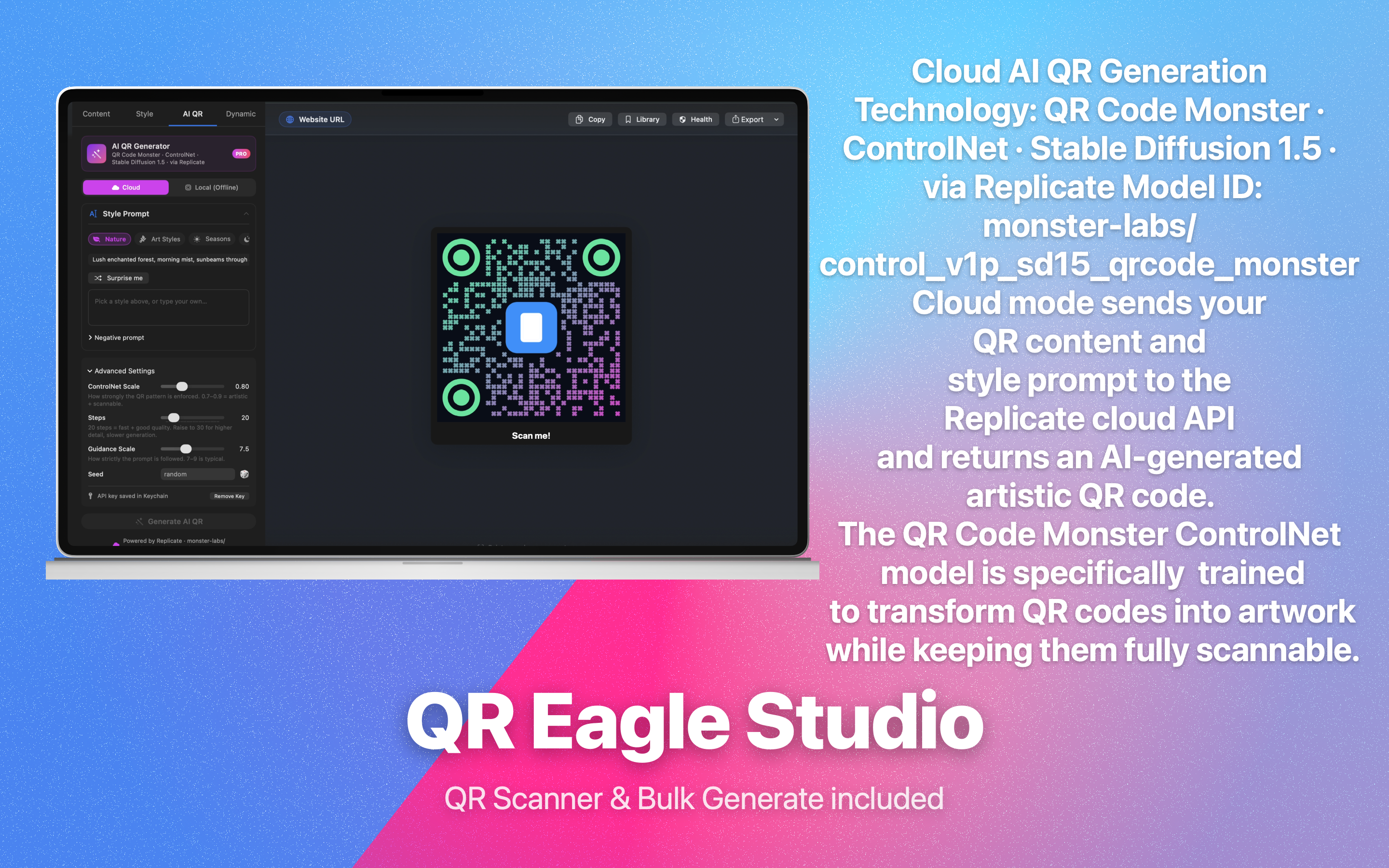
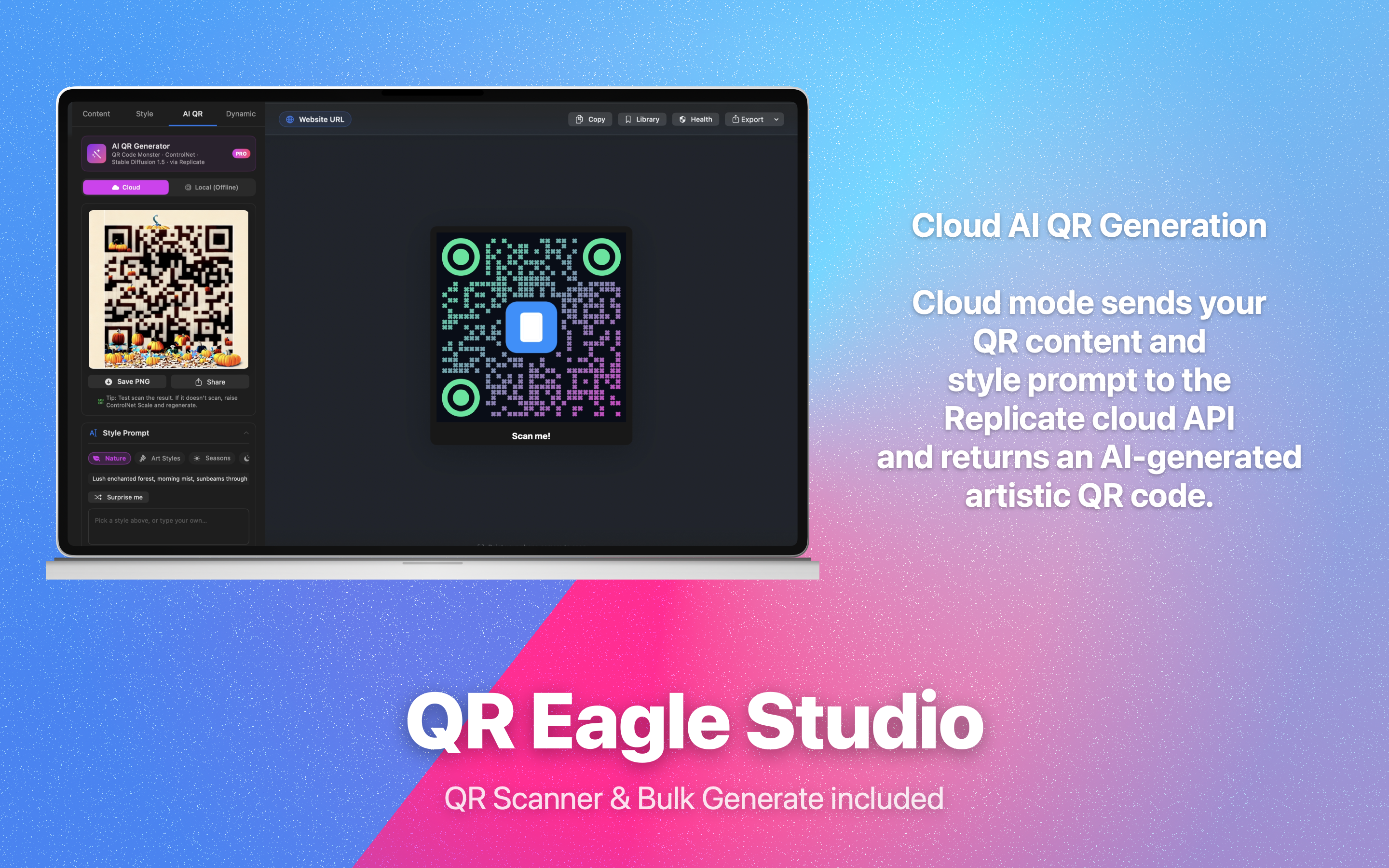
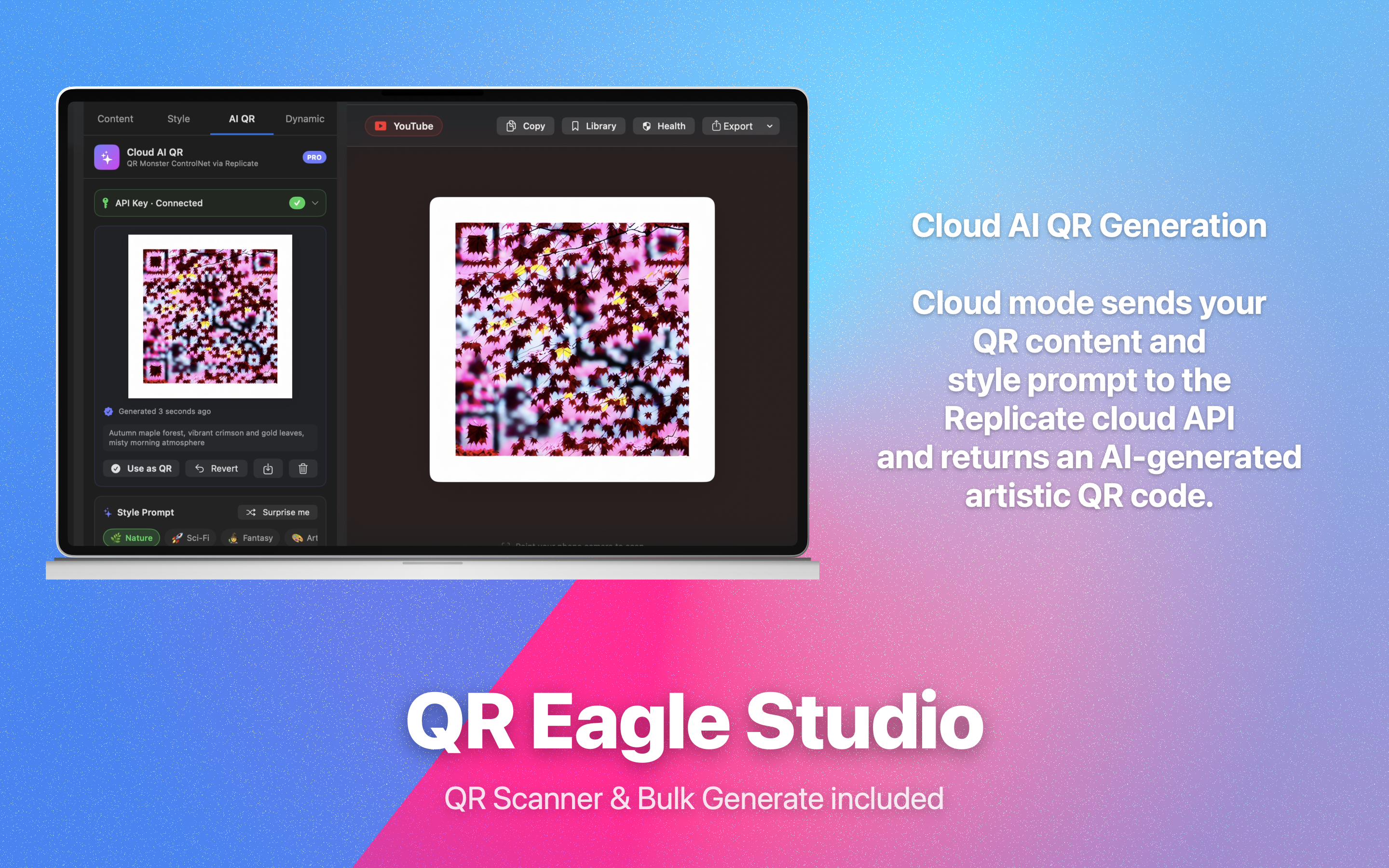
Turn a text prompt into a scannable work of art. QREagleStudio connects to cloud AI image models via Replicate — all controlled from inside the app, no separate account needed beyond your Replicate API key.

AI Image Generation (cloud)
Text-to-image via Replicate API. Generate high-quality photorealistic or artistic backgrounds from your prompt, seamlessly composited behind the QR modules.
150+ Prompt Library
Built-in curated prompts across Architecture, Nature, Abstract, Food, Travel, Sci-Fi, and more — great starting points that guarantee scannable output.
Advanced Controls
Conditioning scale, step count, guidance scale, and fixed-seed sliders give full control over generation without leaving the app.
Art Mode — SF Symbol QR
Replace QR data modules with an Apple SF Symbol (5,000+ available). The result is a scannable, artful code where the symbol forms the visual. Inset fraction slider controls how much symbol bleeds over modules.
AI Style Transfer
Composite any AI-generated or user-chosen photo behind the QR using the full blend-mode and image-adjustment system — creating unique branded codes.
Keychain-Secured API Key
Your Replicate API key is stored exclusively in the macOS Keychain — encrypted, sandboxed, never logged. Migrates automatically from legacy storage on first launch.
🔗 Premium

Dynamic QR & URL Shortener.

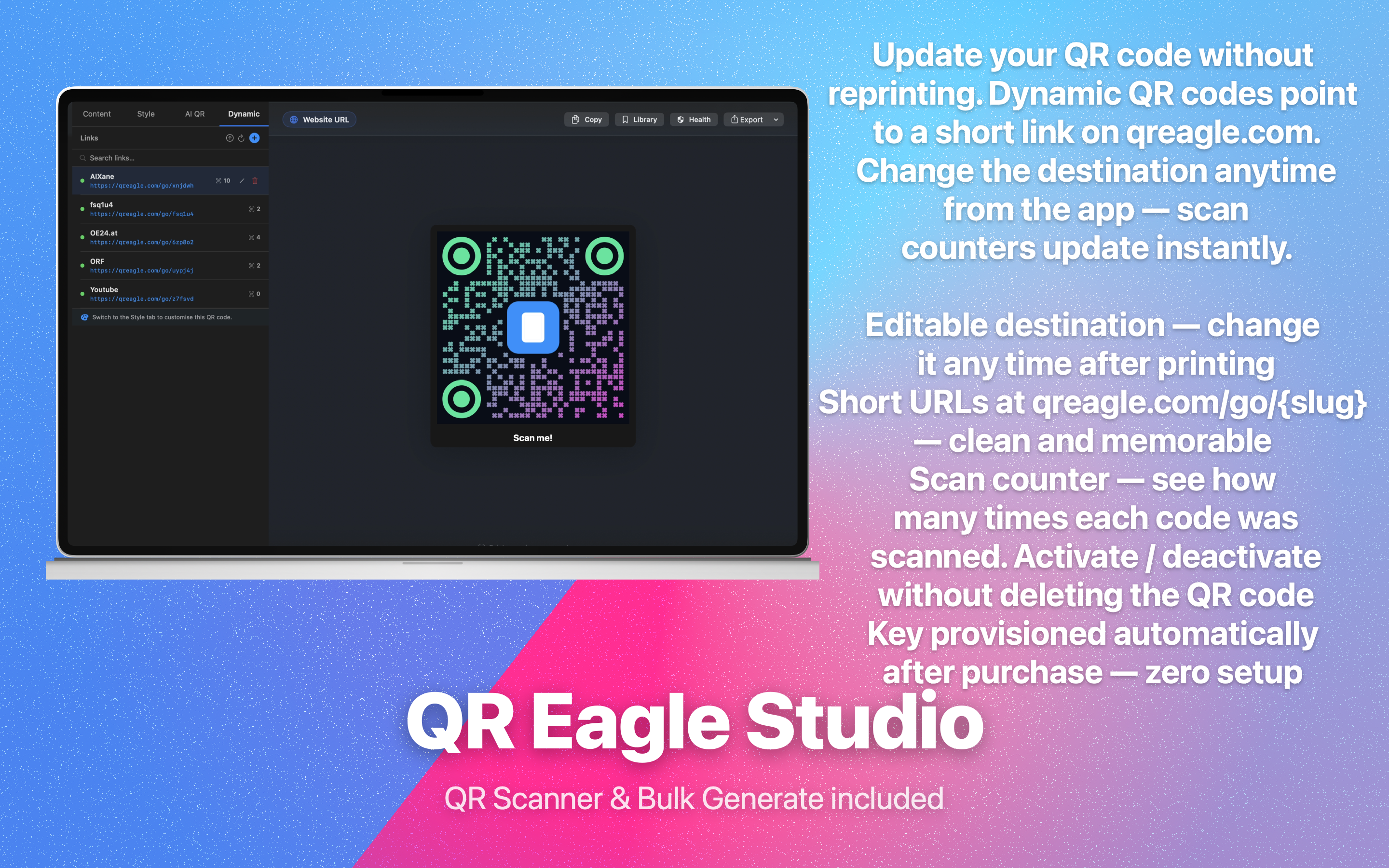
Create editable short links at qreagle.com/go/{slug}. Update the destination any time — without reprinting. Track scans with a privacy-friendly aggregate counter.

Editable Destination
Change where your QR points at any time from the macOS app. All future scans instantly go to the new URL — no new code, no reprinting.
Custom Slugs
Choose a memorable slug (e.g. qreagle.com/go/my-event) or let the app auto-generate one. Slug is validated for uniqueness in real time.
Activate / Deactivate
Pause any link without deleting it. Inactive links show a friendly "not found" page. Re-enable in one tap — slug and scan count preserved.
Privacy-First Scan Counter
See exactly how many times each code was scanned. Only an integer count is stored — no IP addresses, no device data, no timestamps per scan, no cookies of any kind.
REST API Access
Full GET / POST / PATCH / DELETE API for automation and integration. API key auto-provisioned on first Pro purchase — stored in your Keychain.
Zero-Setup Security
API keys are derived via HMAC-SHA256 from your StoreKit transaction ID. No passwords, no registration. Keys are never stored in plaintext.
📸 App Screenshots

See every feature in action.

Real screenshots taken directly from QREagleStudio running on macOS.

Design & Output
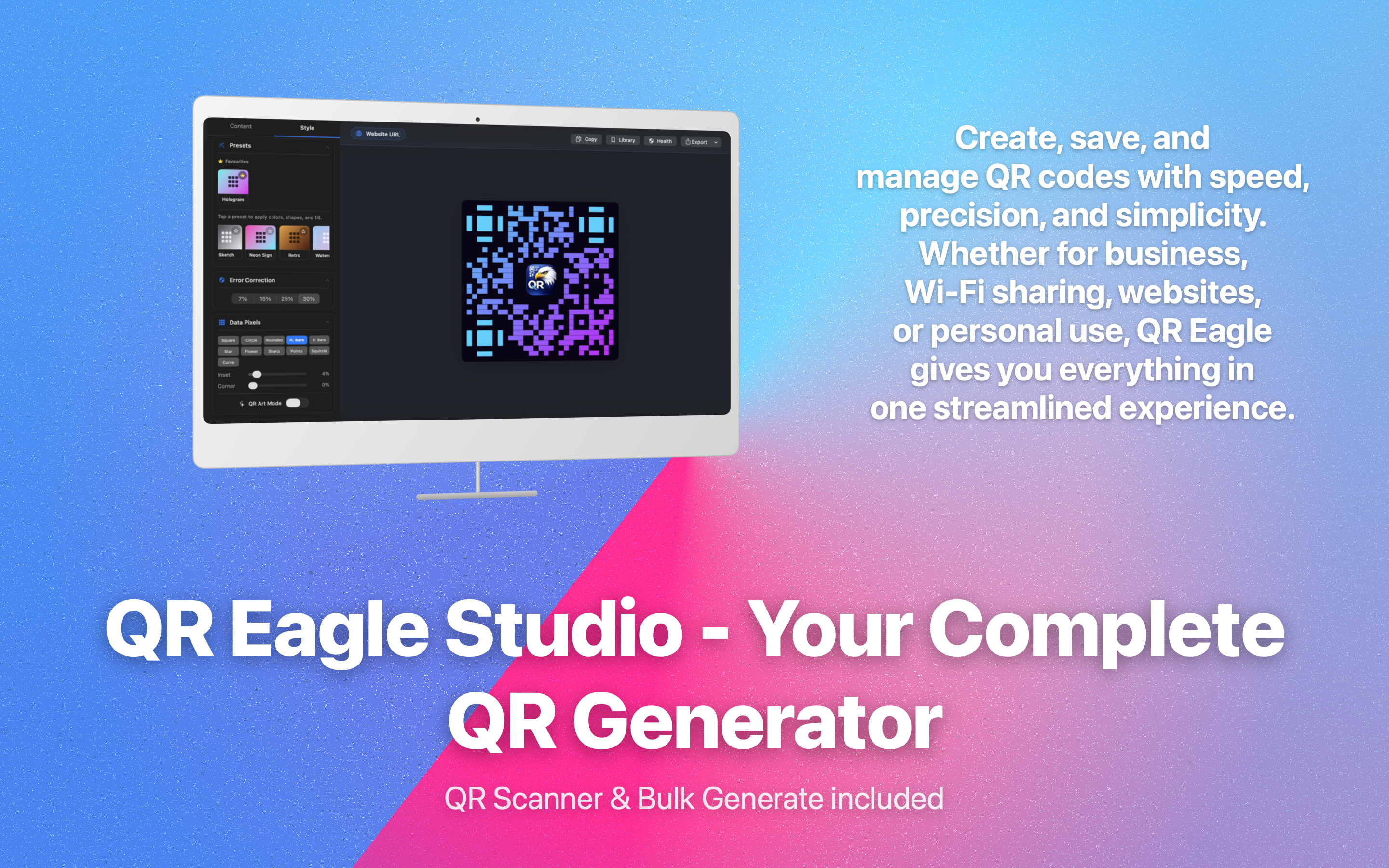
Style Presets & Design
Social QR with Frame & Text
Background Image Style
Frame & Border Customisation
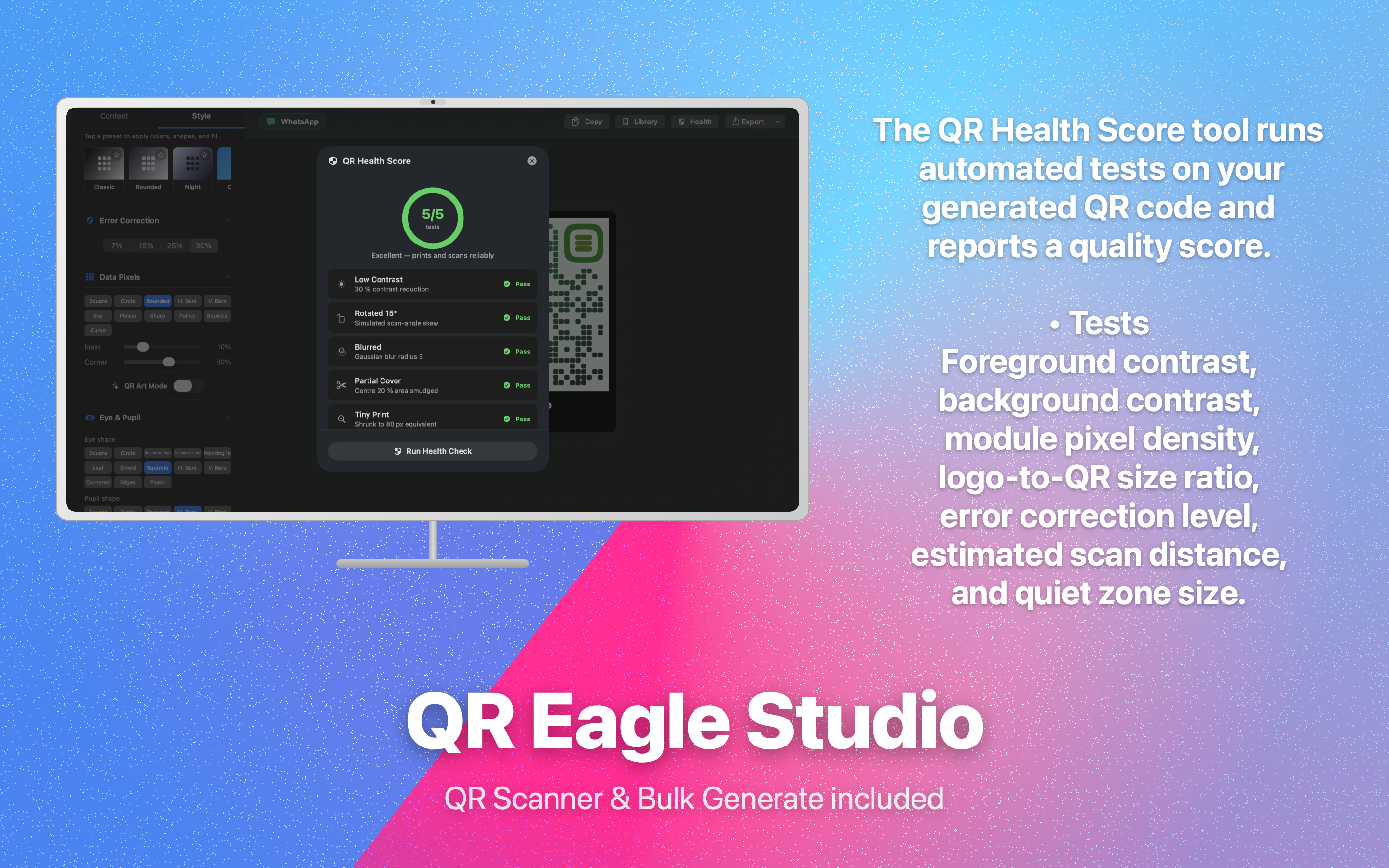
QR Health Score — 5/5
81 Standard QR Types
AI Generation
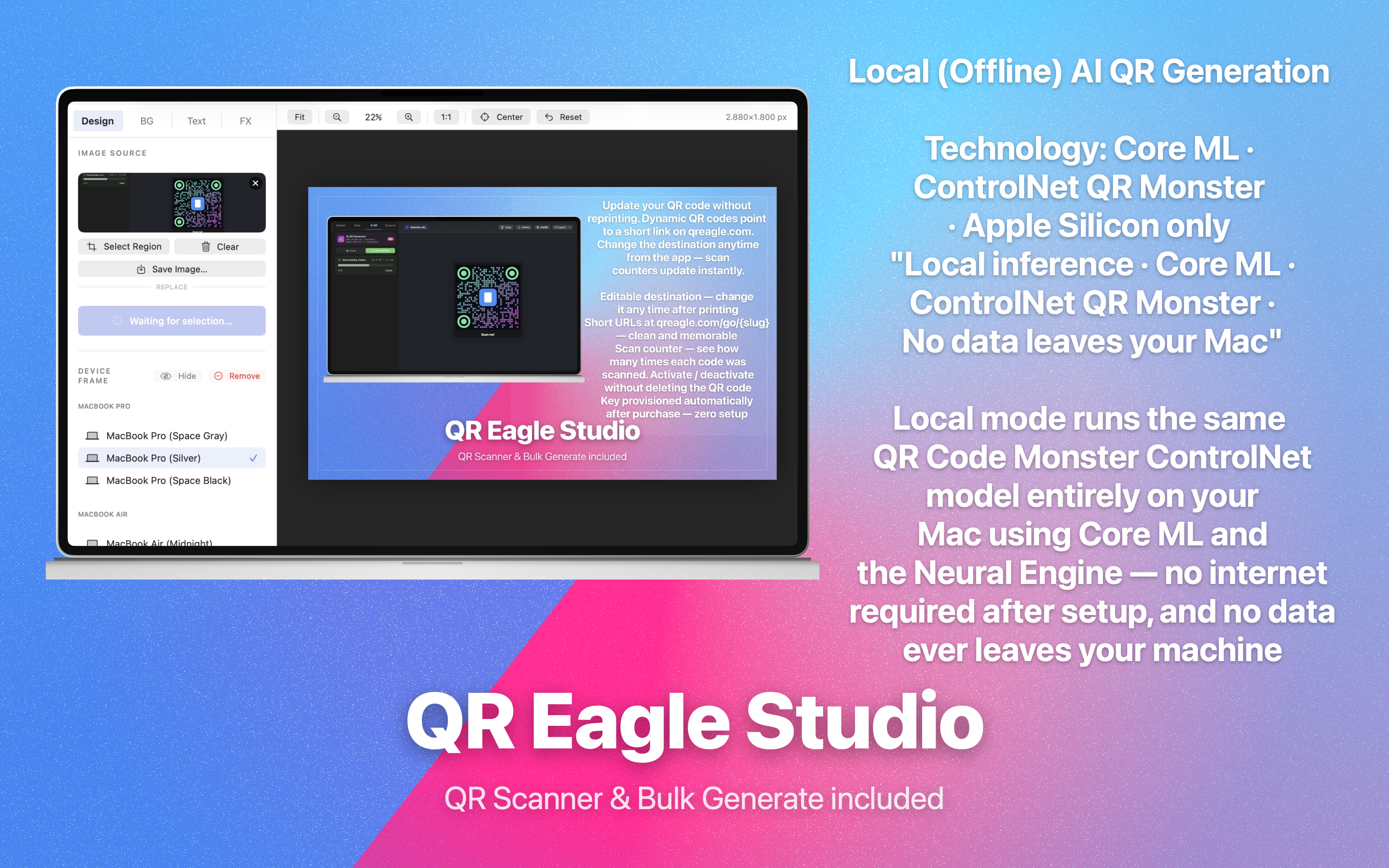
Local (Offline) AI QR
Cloud AI QR — Advanced Settings
Cloud AI QR — Cloud Tab
Cloud AI QR — Artistic Result
Dynamic QR & Analytics
Dynamic QR List & Scan Counts
Other Features
Melody / Sound QR
Melody / Sound QR
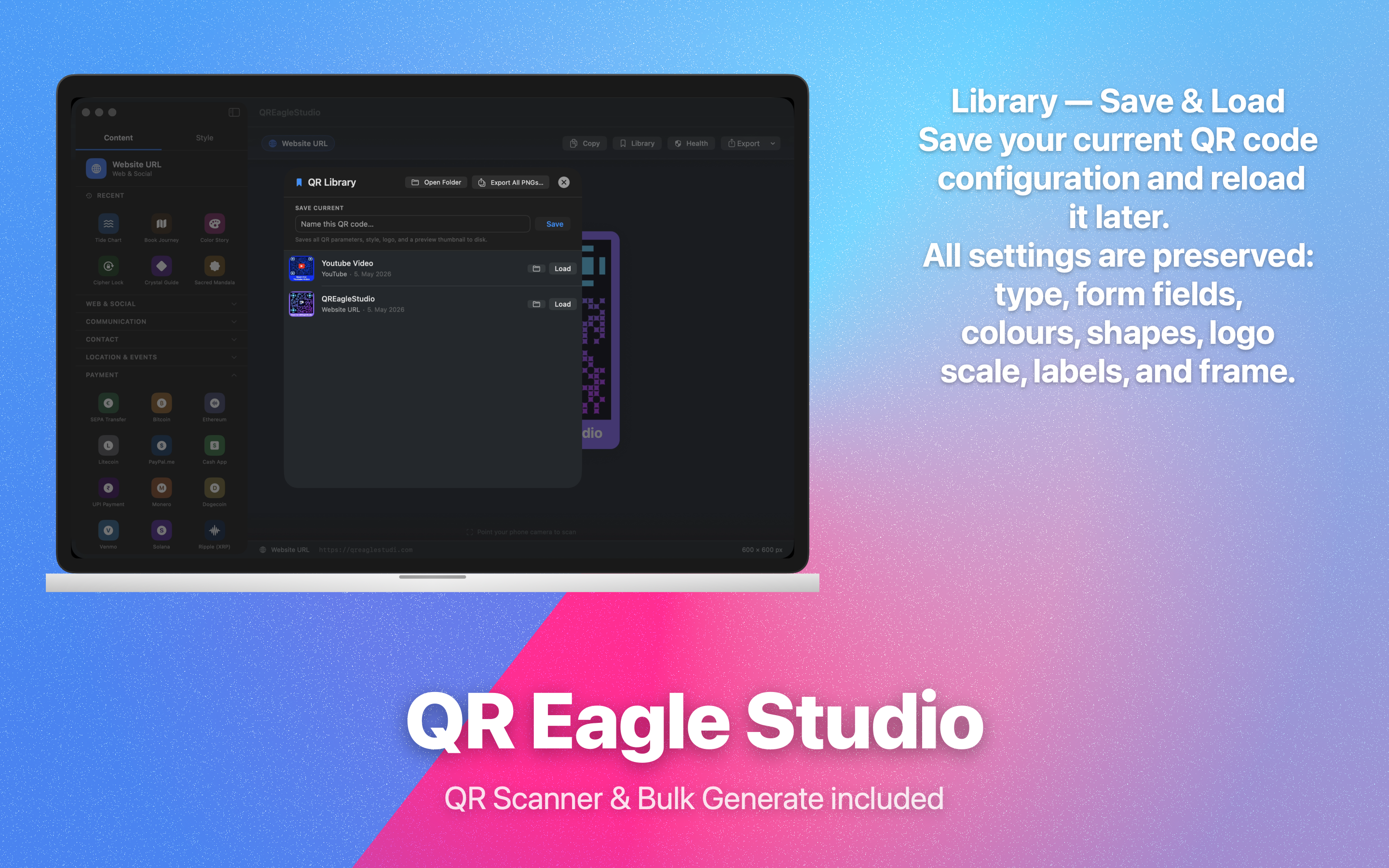
QR Library — Save & Load
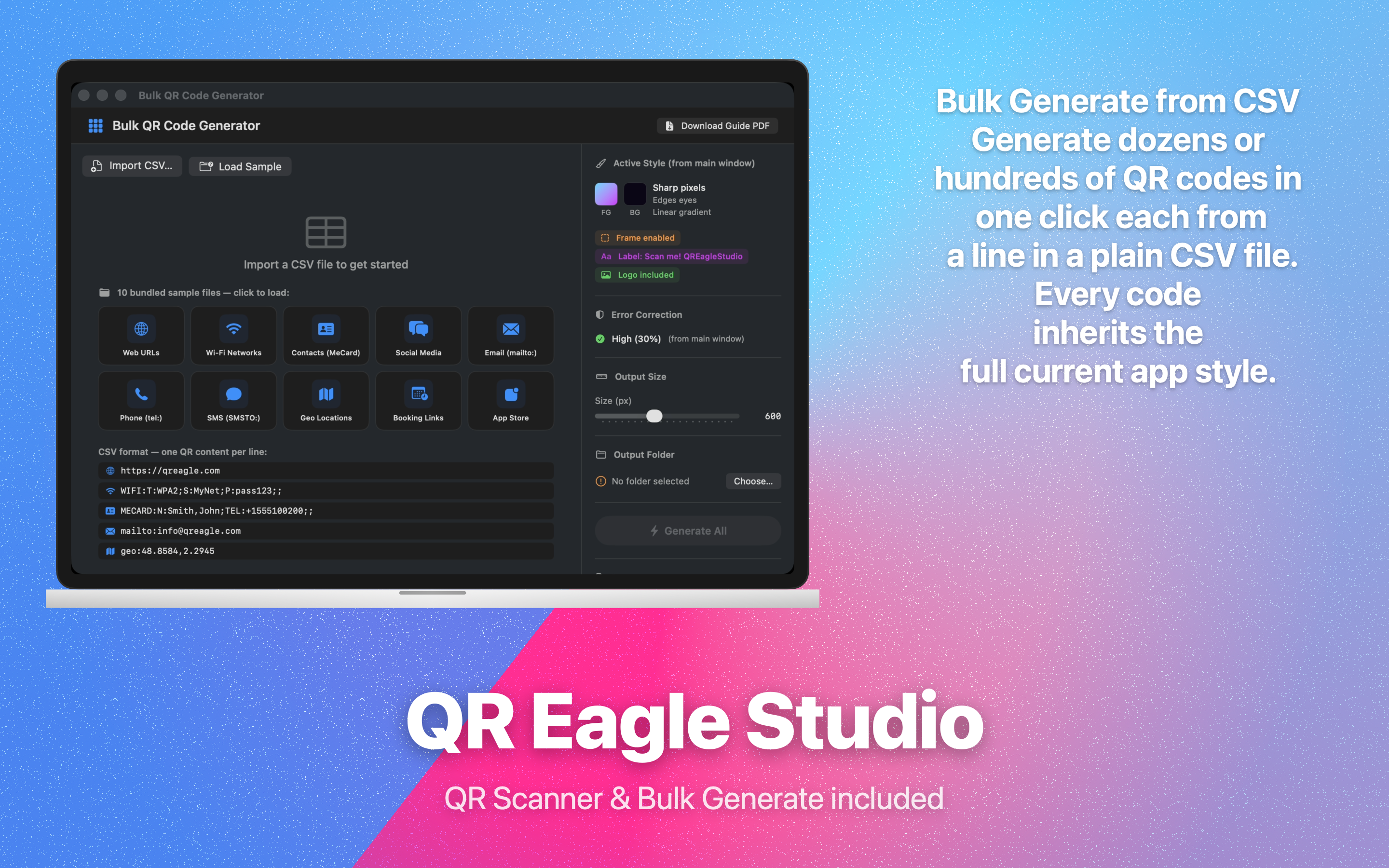
Bulk CSV Generator
Bulk CSV Generator
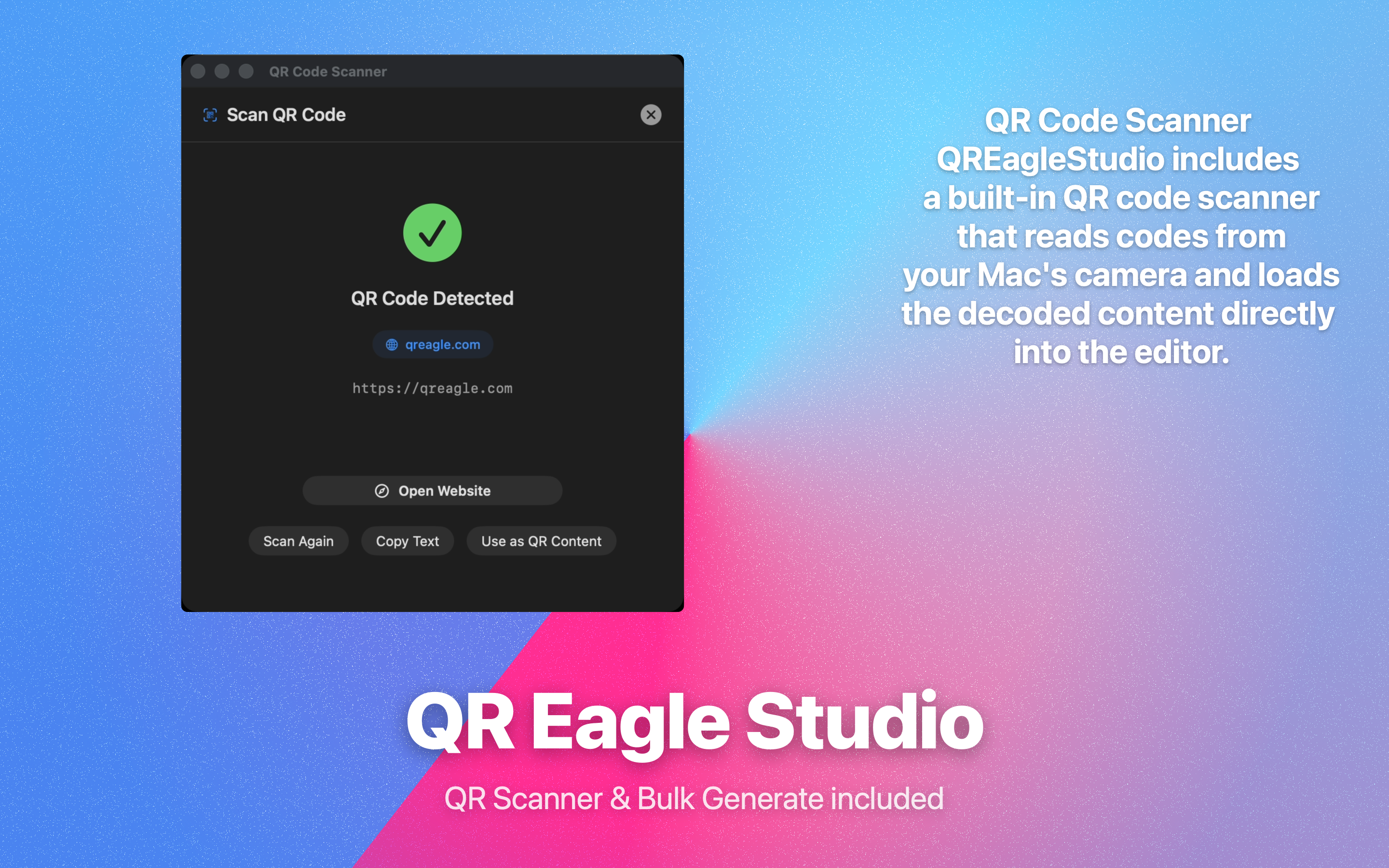
Built-in QR Scanner
Built-in QR Scanner
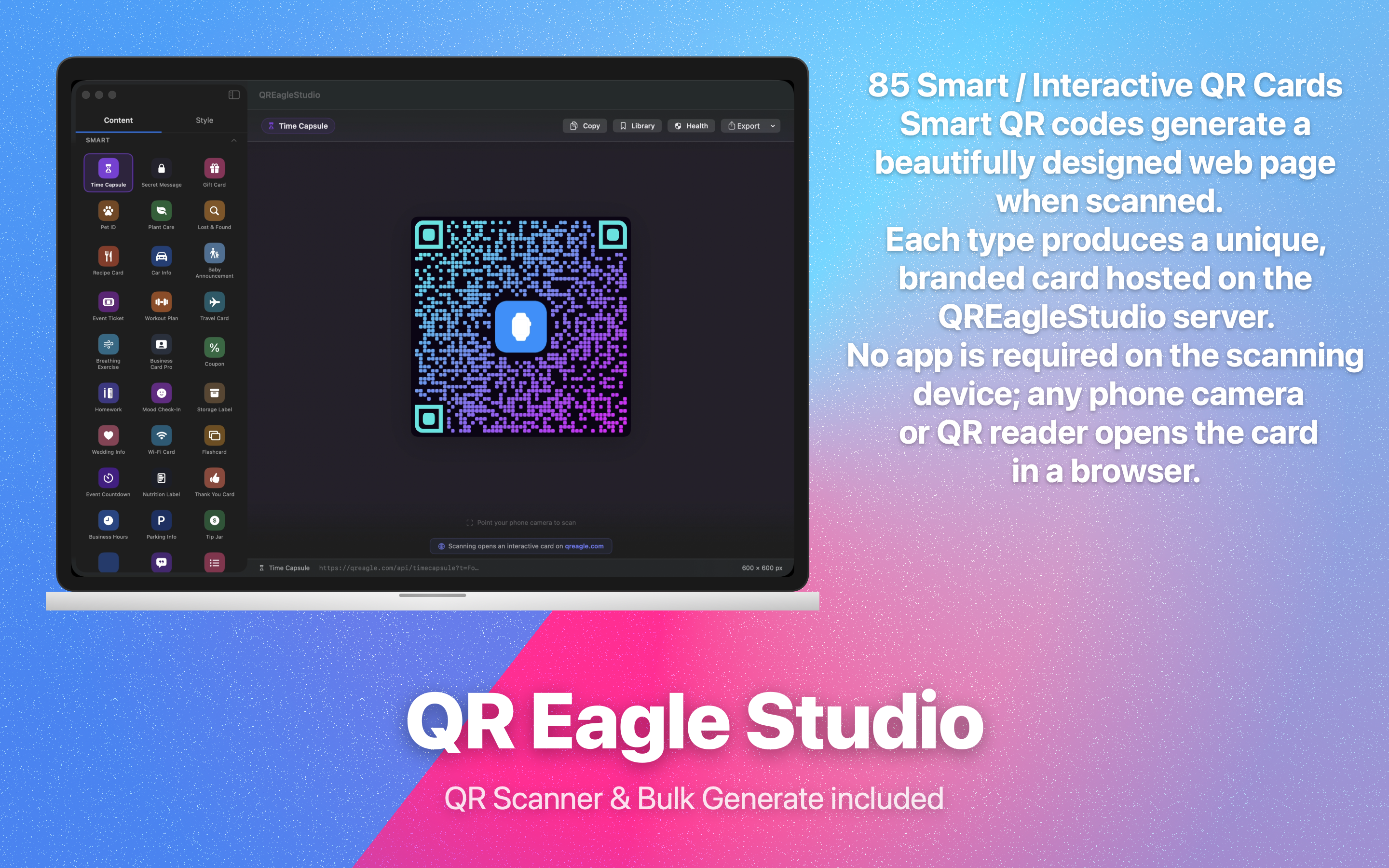
85 Smart Interactive Cards
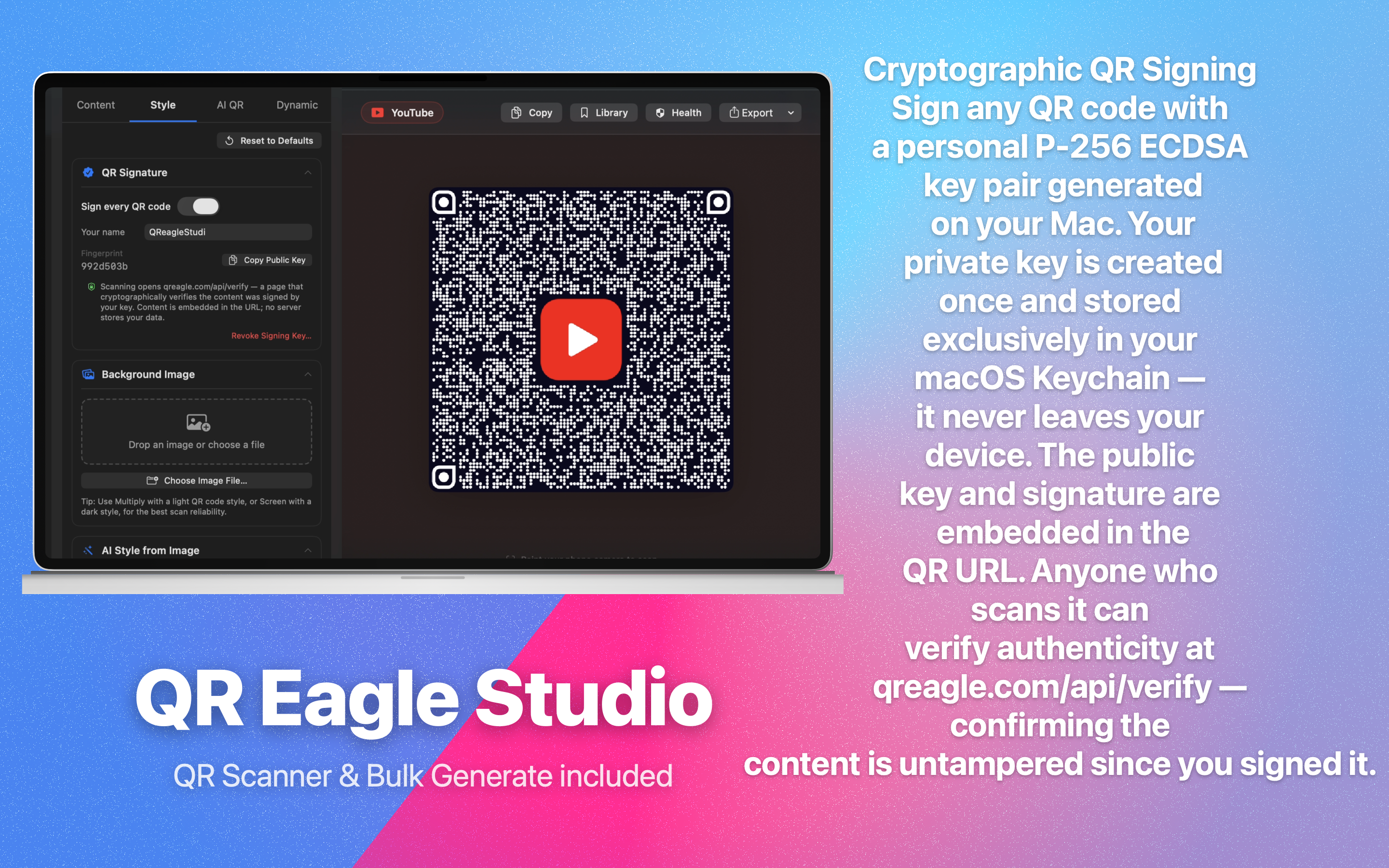
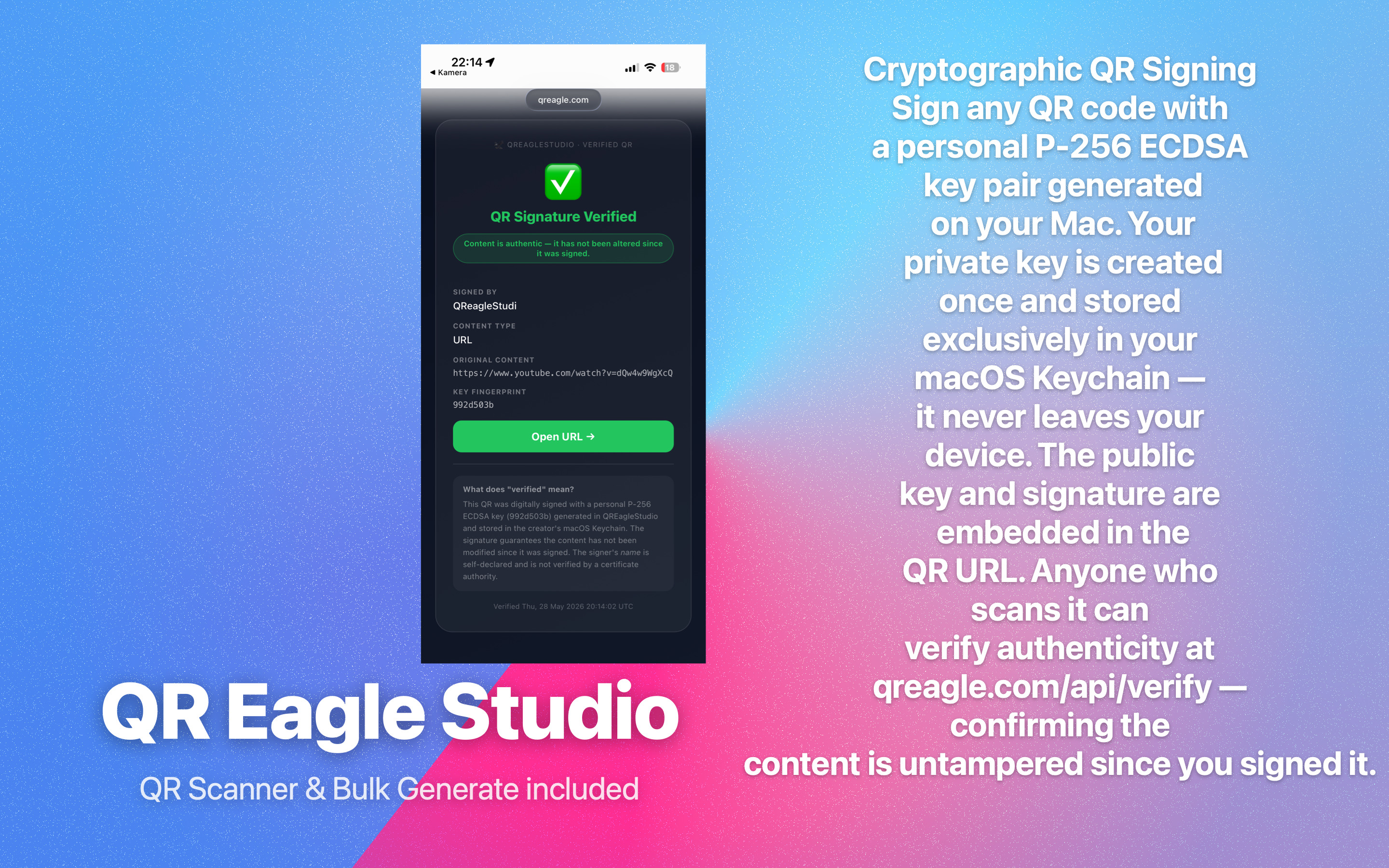
Cryptographic QR Signing
Signature Verification Page
📊 Dynamic QR Analytics

Know exactly how your QR codes perform.

Every Dynamic QR link records anonymised scan events. Open the analytics sheet inside the app for a rich breakdown — without compromising the privacy of the people who scan your codes.

📅
Scans Over Time
Daily area chart for the last 7, 30, 60, or 90 days — selectable from a segmented picker. Move the mouse over the chart to reveal a colour-gradient cursor line with an exact count tooltip for each day. Dates are staggered (every 5 days labelled) so nothing overlaps — spot trends and spikes at a glance.
🌍
Country Breakdown
Country derived from the visitor's IP at redirect time using a server-side GeoIP lookup. Displayed as a ranked horizontal bar chart sorted by scan count. The raw IP address is never stored, logged, or transmitted beyond the redirect handler.
🌐
Browser & OS
User-Agent family (Chrome, Safari, Firefox, Samsung Browser…) and OS family (iOS, Android, macOS, Windows, Linux…) each broken down in a bar chart sorted by scan count. Only the family string is stored — the raw User-Agent is discarded immediately after parsing.
🗣️
Accept-Language / Language
The visitor's preferred language parsed from the Accept-Language HTTP header. Displayed as compact language-code pills (e.g. de, en-US, zh-TW). Only a 2–5 character code is stored — nothing more.
🔗
Referrer Hostname
The domain of the page that triggered the scan (e.g. google.com, instagram.com). Stored as hostname only — path, query string, and full URL are discarded. NULL for direct camera QR scans where no Referer header is present.
📆
Date-Level Resolution Only
Each scan event records only the calendar date (YYYY-MM-DD) — never the hour, minute, or second. This makes cross-session tracking and fingerprinting structurally impossible.
🔒
GDPR / Worldwide Compliant
No IP address, cookie, session ID, or device fingerprint is ever stored. Fully compatible with GDPR (EU), CCPA (California), LGPD (Brazil), PDPA (Thailand), PIPL (China), DPDP (India), POPIA (South Africa), and all other major data-protection frameworks.
🔬 A/B Testing

Split-test destinations. Optimise with data.

Configure up to 6 A/B variants per Dynamic QR link. Each variant has its own destination URL and traffic weight. The redirect engine selects a variant probabilistically on every scan — no cookies, no sessions.

🅰️
Up to 6 Variants (A – F)
Assign a label (A, B, C…), a destination URL, and a traffic weight (0–100) to each variant. Weights do not have to sum to 100 — they are normalised automatically.
⚖️
Weighted Traffic Split
Example: Variant A = 70, Variant B = 30 → 70% of scans go to A, 30% go to B. Adjust weights live from the Edit Link sheet without reprinting the QR code.
📊
Per-Variant Performance
The A/B Variant Performance chart in the analytics sheet shows a horizontal bar for each variant with its absolute scan count. Identify the winner at a glance.
🔄
No-Reprint Changes
Edit variant URLs or rebalance weights any time. Changes apply instantly to all future scans — the printed QR code never changes.
🛡️
Privacy by Design
Variant assignment is probabilistic on each request — stateless. No user identifier, session, or cookie is used. Each scan is independent.
📋 Analytics data collected per scan
Date (YYYY-MM-DD)Day only — hour/minute never storedAlways
Country code (2-letter)GeoIP lookup at redirect time, IP discardedAlways
Browser familye.g. Safari, Chrome, Firefox — raw UA discardedAlways
OS familye.g. iOS, Android, macOS, Windows — raw UA discardedAlways
Language codeFrom Accept-Language, e.g. de, en-US, zh-TWAlways
Referrer hostnameDomain only, e.g. google.com — path/query discardedWhen present
A/B variant labelWhich weighted variant was served (A–F)When A/B active

IP addresses, cookies, device identifiers, and full User-Agent strings are never stored.

📤 Export & Output

Every format. Any size. One click.

Export for print, web, design tools, email, or social — without leaving the app. No re-exporting, no quality loss.

🖼️
PNG — Up to 4096 × 4096 px
Raster export with optional transparent background. Configurable output size up to 4096 × 4096 px — crisp on any display or print at standard DPI.
🗂️
SVG — Infinite Vector
Infinitely scalable vector format preserving all logos, shapes, and gradients. Directly importable into Figma, Illustrator, Sketch, or any vector workflow.
📄
PDF — Press-Ready
True vector PDF for professional print at any size. Send straight to the printshop — no minimum DPI, no quality loss, fully press-ready.
🎞️
Animated GIF
Export the QR as an animated GIF sequence — useful for digital signage, websites, and presentations that need motion. Each frame renders at full resolution.
📋
Clipboard Copy
Right-click the live preview to copy directly into Keynote, Pages, Figma, Slack, or any app that accepts images. No export dialog needed.
🖨️
System Print Dialog
Print directly from the app via the native macOS print system. Supports all connected printers and page sizes.
📤
macOS Share Sheet
Share instantly via AirDrop, Mail, Messages, Notes, or any Share Extension installed on your Mac.
📸
Save to Photos
Save to your macOS Photos library with one click for immediate access across all Apple devices via iCloud.
⚡ Bulk Generator

Hundreds of codes in seconds.

Generate an entire batch from a CSV file — all with the same branded style. Open with ⌘⇧B.

CSV Import
One line per QR code — just the raw content. Supports URLs, phone numbers, Wi-Fi strings, vCards, plain text, and any QR-encodable value.
Full Style Applied
Every design setting from the main window — pixel shape, gradient, logo, labels, frame, error correction — carries over to every code in the batch.
ZIP Archive Output
All generated codes are saved as individual PNG files (001.png, 002.png…) inside a ZIP archive. Choose output size from 200 to 4096 px.
Live Progress Bar
Per-item status indicator shows generation progress in real time. Errors are flagged individually without stopping the batch.
Keyboard-First Workflow
Full keyboard shortcut support throughout. Design once, batch export everywhere without touching the mouse.
📷 QR Scanner

Built-in QR scanner & decoder.

Scan and decode any QR code without leaving the app. Works with live camera or image files.

Live Camera Scanning
Point your Mac camera at any QR code for instant, auto-detected decoding. Supports all standard QR formats.
Scan from Image File
Import any image from disk — the scanner detects and decodes QR codes in photos, screenshots, and PDFs.
Content Type Detection
Automatically identifies the content type: URL, vCard, Wi-Fi, calendar event, plain text, crypto address, and more.
Copy, Open, or Save Result
Copy the decoded value to clipboard, open a URL in the browser, or save the result as a new QR code with current style settings.
📊 QR Health

Real-time scan quality score.

Contrast Ratio Checker
Calculates the WCAG-style contrast ratio between foreground and background colours. Warns if the ratio is too low for reliable scanning.
Live Accessibility Warning
Inline warning banner appears immediately when a colour combination is likely to cause scan failures — before you export.
QR Complexity Indicator
Shows how much data is encoded (and therefore how dense the matrix is) so you can decide whether to shorten the URL or increase the output size.
🔒 Security & Privacy

Built to respect your privacy.

No analytics, no tracking, no third-party SDKs. Most processing happens entirely on your Mac. What little server interaction exists is documented in full in our Privacy Policy.

🔑
Keychain-Only Secrets
Your API key and AI service credentials are stored exclusively in the macOS Keychain — AES-256-encrypted, sandboxed to QREagleStudio. Never logged, never shown in plaintext.
🌐
TLS 1.2+ Everywhere
All network requests use TLS 1.2 or higher. Ephemeral URLSession with no cookies, no cache, and MITM-interception protection.
📵
No Analytics SDK
Zero Firebase, Amplitude, Sentry, Crashlytics, or similar libraries. No IDFA access. No behavioural data collection of any kind.
🏠
On-Device Processing
QR generation, style settings, your QR library, and all design work happen entirely on your Mac. No cloud required for any core feature.
🧾
EULA Acceptance Gate
First-launch End User Licence Agreement with scroll-to-accept — the app does not start until you have read and accepted the terms.
🔐
HMAC-SHA256 Key Derivation
Dynamic QR API keys are derived from your StoreKit transaction ID using HMAC-SHA256. Even if our database were compromised, keys cannot be reverse-engineered.
🔏
Cryptographic QR Signing
Sign any QR code with a personal P-256 ECDSA key pair generated on your Mac. Your private key is created once and stored exclusively in your macOS Keychain — it never leaves your device. The public key and signature are embedded in the QR URL. Anyone who scans it can verify authenticity at qreagle.com/api/verify — confirming the content is untampered since you signed it.
📦
Minimal Data Principle
We store only what is strictly required to operate the Dynamic QR service. No name, no email, no payment details — ever. See our full Privacy Policy.
🍎
Mac App Store Distribution
Distributed exclusively through Apple’s Mac App Store. Apple’s notarisation and sandbox requirements provide an additional independent security layer.
🍎 Native macOS

Designed for Mac. Not ported.

Built entirely in SwiftUI. Real keyboard shortcuts, native colour picker, Dark Mode, sidebar navigation, and a window layout that feels at home on every Mac from macOS 13 Ventura onwards.

Real-Time Live Preview
Every change — pixel shape, colour, logo, label, error correction — updates the QR preview instantly. No generate button, no waiting, no spinner.
🗂️
Sidebar with Search
167 QR types organized in 13 collapsible categories. Full-text search filters the list instantly. Recent types are pinned at the top.
⌨️
Full Keyboard Shortcuts
⌘S saves, ⌘E exports, ⌘⇧B opens Bulk Generator, and dozens more. The entire app is keyboard-navigable.
🌙
Dark Mode Native
Designed for Dark Mode first. Adapts automatically to Light Mode and any macOS accent colour. Looks sharp on every display.
🔄
Undo / Redo
Full undo/redo stack across all design changes. Experiment freely — you can always go back.
📚
QR Library
Save any QR code to your personal library. Restore, duplicate, or re-export saved codes at any time. Library is stored locally and never synced to the cloud.
🧪
Free Trial
Every Pro feature — AI generation, Dynamic QR, Bulk Generator, animated GIF export, all 167 types — is available to try free. No credit card required to start.

Ready to make your first QR code?

Download QREagleStudio free from the Mac App Store and start creating in seconds.

Download Free on the Mac App Store